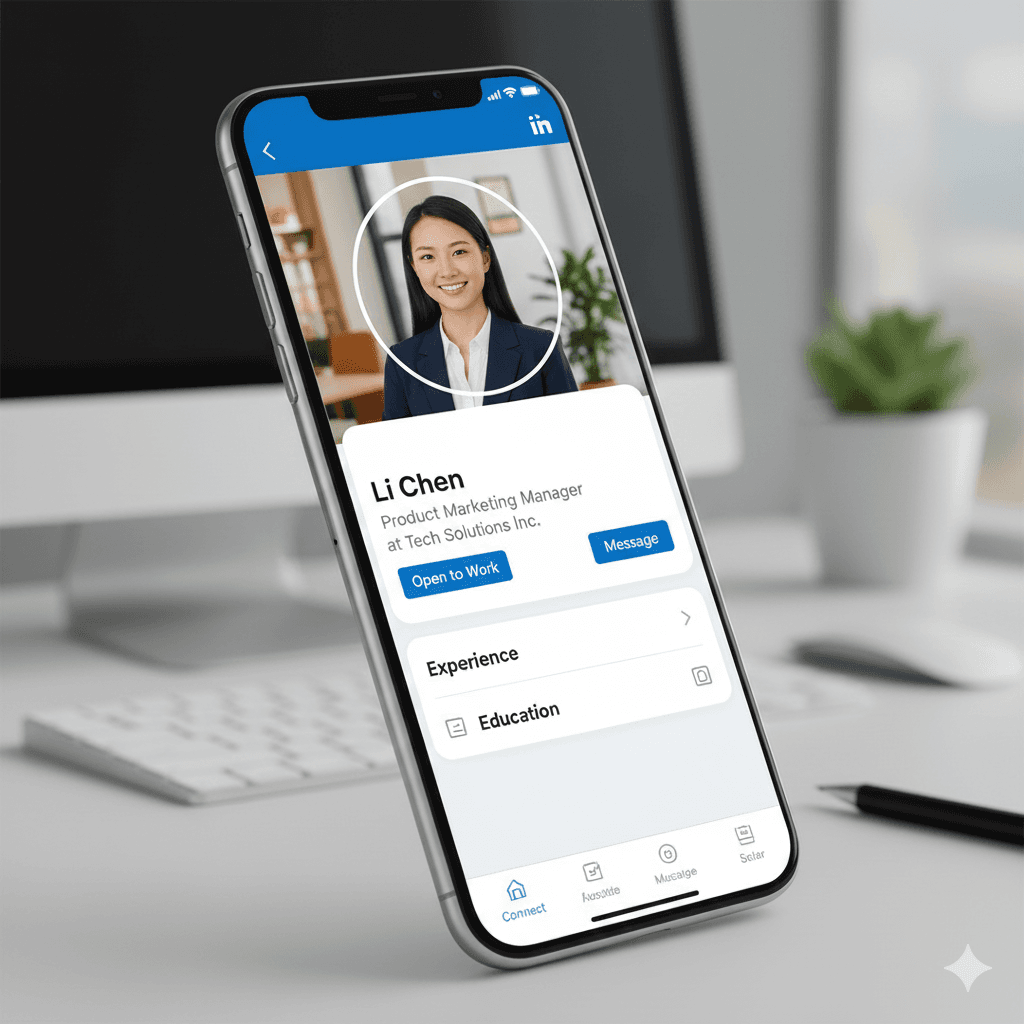
How to Make a Professional LinkedIn Profile Picture: Transform Any Headshot into Career Gold
Your LinkedIn profile picture is your digital first impression, and research shows you have just seconds to make it count. A professional profile picture can increase profile views by up to 14 times and connection requests by 36%. Here's how to create a standout professional headshot, even if you're starting with a casual photo.
Why Your LinkedIn Profile Picture Matters
In the professional world, your LinkedIn photo serves as your virtual handshake:
- Credibility: A professional photo builds immediate trust
- Memorability: People are 7 times more likely to remember you with a good photo
- Network growth: Quality photos lead to more connection requests
- Job opportunities: Recruiters spend more time on profiles with professional photos
The Anatomy of a Perfect LinkedIn Profile Picture
Technical Requirements
- Aspect ratio: 1:1 (square)
- Minimum size: 400x400 pixels
- Recommended size: 800x800 pixels for crisp display
- File size: Under 8MB
- Format: JPEG or PNG
Visual Best Practices
- Face占 frame: Your head and shoulders should fill 60-70% of the frame
- Clean background: Professional, neutral, non-distracting
- Professional attire: Dress for the job you want
- Genuine smile: Approachable yet professional
- Eye contact: Look directly at the camera
- Good lighting: Even, natural lighting that flatters your face
Common LinkedIn Photo Mistakes to Avoid
Unprofessional Backgrounds
- Cluttered personal spaces
- Distracting patterns or colors
- Busy outdoor locations
- Group photos where you're cropped out
Poor Image Quality
- Blurry or pixelated photos
- Photos taken from too far away
- Harsh shadows or poor lighting
- Overly filtered or edited images
Inappropriate Styling
- Too casual for your industry
- Outdated photos (more than 2-3 years old)
- Distracting accessories or clothing
- Unprofessional poses or expressions
DIY Professional Headshot: Step-by-Step Guide
1. Planning Your Photo Shoot
Choose the Right Time
- Natural window light works best
- Avoid harsh midday sun
- Overcast days provide even lighting
- Golden hour (just before sunset) for warm tones
Select Your Outfit
- Solid colors work better than patterns
- Choose colors that complement your skin tone
- Avoid white if using a white background
- Professional attire for your industry
2. Setting Up Your Shot
Lighting Setup
- Position yourself facing a large window
- Use a white poster board as a reflector for shadows
- Avoid overhead fluorescent lighting
- Consider a simple ring light for consistent results
Camera Position
- Camera at eye level or slightly above
- Use a tripod or stable surface
- Take photos from chest up
- Leave some space above your head in the frame
3. Taking the Perfect Shot
Posture and Expression
- Relax your shoulders
- Slight angle to the camera (not completely straight on)
- Genuine, confident smile
- Eyes looking directly at the lens
Multiple Options
- Take 50+ photos to ensure good options
- Vary expressions slightly
- Try different angles
- Include some without smiling for conservative industries
Transforming Casual Photos into Professional Headshots
Background Removal Magic
Even if you only have casual photos, you can create professional results:
-
Start with your best casual photo
- Clear face, good expression
- Decent lighting
- Appropriate clothing
-
Remove the distracting background
- Use AI-powered background removal tools
- Achieve clean, professional results in seconds
- No Photoshop skills required
-
Add a professional background
- Neutral colors (light gray, soft blue, white)
- Subtle gradients
- Office or studio-like environments
Quick Background Fixes
From This to Professional
- Beach vacation photo → Clean studio background
- Home office setup → Neutral professional backdrop
- Restaurant dinner → Corporate-style environment
- Outdoor casual → Indoor professional setting
Industry-Specific Profile Picture Tips
Corporate/Finance
- Conservative colors (navy, gray, black)
- Traditional business attire
- Neutral backgrounds
- Serious but approachable expression
Creative Industries
- More personality in expression
- Stylish but professional clothing
- Interesting but not distracting backgrounds
- Show your creative side while staying professional
Technology/Startups
- Smart casual to business casual
- Modern, clean backgrounds
- Confident, innovative expression
- Colors that reflect your company culture
Healthcare/Legal
- Traditional professional attire
- Conservative backgrounds
- Trustworthy, competent expression
- Clean, polished appearance
Advanced Tips for Standout Photos
Lighting Techniques
- Butterfly lighting: Light from above creates flattering shadows
- Rembrandt lighting: Dramatic triangle of light on one cheek
- Loop lighting: Slight shadow under the nose for dimension
Color Psychology
- Blue: Trust, reliability, competence
- Gray: Professional, sophisticated, neutral
- White: Clean, simple, modern
- Navy: Authoritative, trustworthy, classic
Expression Coaching
- Think of something that genuinely makes you happy
- Practice your smile in the mirror
- Squint slightly for more engaging eyes
- Relax your jaw for a natural expression
Post-Processing for Professional Results
Basic Adjustments
- Crop: Proper framing with headroom
- Brightness: Ensure face is well-lit
- Contrast: Add definition without overdoing
- Color correction: Natural skin tones
Professional Polish
- Remove minor blemishes (keep it natural)
- Whiten teeth slightly if needed
- Reduce under-eye circles
- Enhance eye brightness subtly
Quality Control Checklist
- Image is sharp and in focus
- Background is clean and professional
- Lighting is even and flattering
- Expression is genuine and appropriate
- Attire is professional for your industry
- Image meets LinkedIn's technical requirements
- Photo looks like you (recent and accurate)
Mobile Photography for LinkedIn Success
Using Your Smartphone
Modern smartphones can create professional results:
Camera Settings
- Use portrait mode if available
- Turn on grid lines for composition
- Use timer function to reduce shake
- Take advantage of HDR mode
Apps for Enhancement
- Native camera app with portrait mode
- Professional photo editing apps
- Background removal specialized tools
- LinkedIn's built-in editing features
Budget-Friendly Professional Options
DIY Solutions
- Natural window lighting (free)
- Background removal tools (low cost)
- Basic editing apps (free to inexpensive)
- Smartphone cameras (equipment you already own)
Professional Services
- Headshot photographers: $150-500
- Corporate photography: $200-800
- LinkedIn-specific photographers: $100-300
- Mini-sessions: $75-150
Hybrid Approach
Combine DIY photography with professional editing services for cost-effective results.
Updating Your LinkedIn Photo
When to Update
- Every 2-3 years minimum
- After significant appearance changes
- Career transitions or promotions
- Seasonal updates for freshness
A/B Testing Your Photo
- Try different photos and monitor engagement
- Track profile views and connection requests
- Ask colleagues for feedback
- Monitor recruitment activity
Maximizing Your Photo's Impact
Profile Optimization
- Ensure your headline matches your photo's professionalism
- Update your summary to reflect your current role
- Keep contact information current
- Use keywords relevant to your industry
Engagement Strategy
- Post valuable content regularly
- Engage with others' posts professionally
- Join relevant industry groups
- Share insights and expertise
Conclusion
A professional LinkedIn profile picture is an investment in your career that pays dividends in networking opportunities, job prospects, and professional credibility. You don't need an expensive photographer or professional studio to create an impactful headshot.
With the right approach—good lighting, appropriate attire, and modern background removal tools—you can transform any decent photo into a professional LinkedIn headshot that opens doors and creates opportunities.
Remember, your profile picture should represent the professional you want to be, not just who you are today. Take the time to get it right, and watch as it transforms your LinkedIn presence and professional opportunities.
Ready to create your perfect professional profile picture? Start with what you have, and let modern tools help you achieve the polished, professional look that will advance your career.