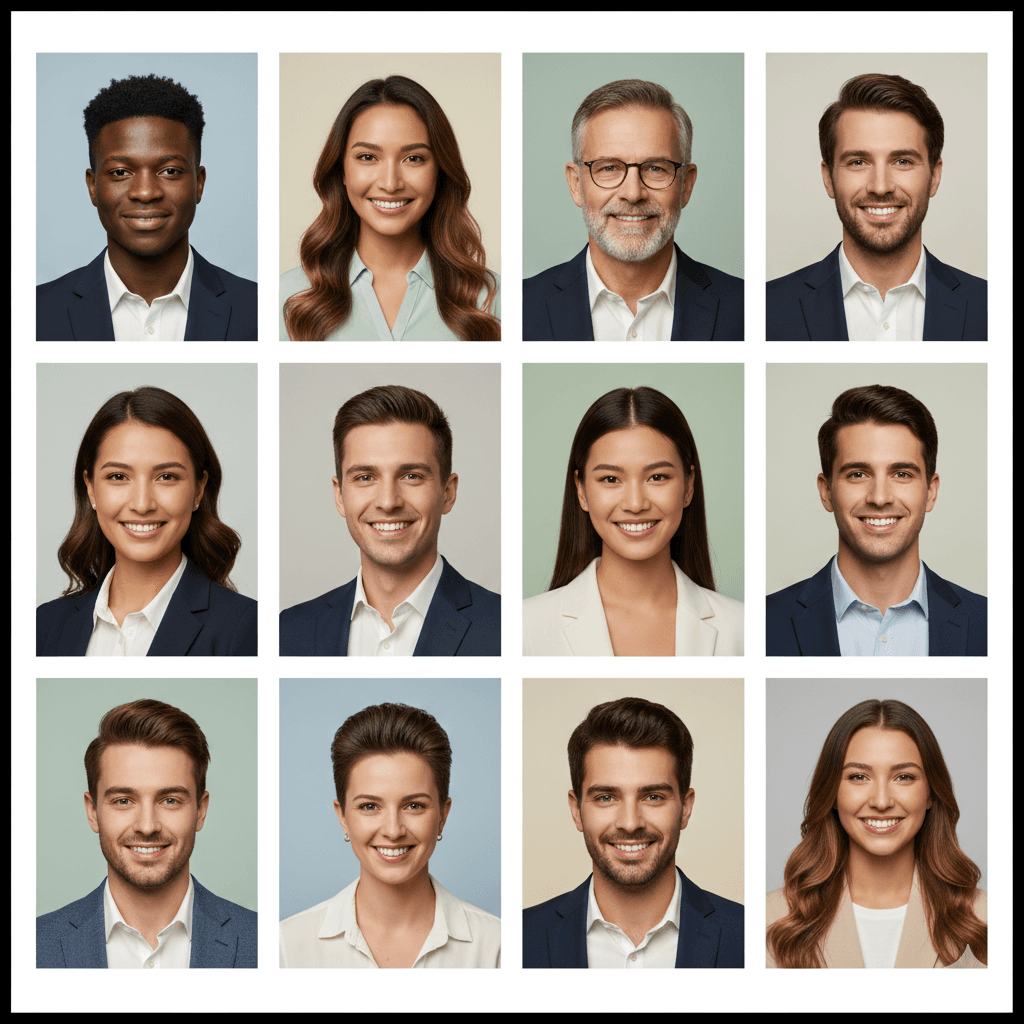
How to Create a Professional Profile Picture for Free in 2025
Introduction
Your profile picture is your digital handshake. It's the first impression you make on LinkedIn, the face of your resume, and the icon representing you on every social platform. In a world where your online presence is more important than ever, a professional profile picture isn't just nice to have—it's essential.
But getting that perfect headshot can be a hassle:
- Professional photographers cost hundreds of dollars.
- Your home or office background is cluttered and distracting.
- Software like Photoshop has a steep learning curve and a monthly subscription.
- "Free" online tools leave watermarks, produce low-resolution images, or, even worse, upload your personal photos to their servers.
What if you could transform a simple photo from your phone into a high-quality, professional headshot in under a minute, for free, and without your photo ever leaving your device?
This guide will show you exactly how to do it. We'll walk you through the steps to take a great headshot with your smartphone and use a free, private AI tool to remove the background and replace it with a clean, professional one.
Why Your Profile Picture Background Matters
A great profile picture is all about focus. The subject should be you, not the messy bookshelf or the distracting wall art behind you.
- Professionalism: A clean, simple background signals professionalism and attention to detail.
- Focus: It keeps the viewer's attention on your face, not your environment.
- Consistency: It helps you maintain a consistent brand image across all platforms.
- Trust: A polished image builds trust with recruiters, clients, and colleagues.
Compare these two images. The one on the left has a distracting background, while the one on the right is clean, professional, and puts the focus entirely on the person. This simple change makes a world of difference in how they are perceived.
The Old Way vs. The New, Private Way
The Old Way (Expensive and Complicated)
-
Hire a Photographer:
- Cost: $200 - $1,000+
- Time: Scheduling, travel, and the photoshoot itself can take hours.
- Problem: Inflexible. You get a few shots and can't easily change the background later.
-
Use Photoshop:
- Cost: $20.99/month subscription.
- Time: Hours of learning the Pen Tool, Refine Edge, and layer masks.
- Problem: Overkill and too complex for a simple task.
-
Use Cloud-Based Tools (e.g., Remove.bg):
- Cost: Free tier is low-resolution; paid plans are $9-$299/month.
- Privacy Risk: You must upload your personal photos to their servers.
- Problem: You're forced to choose between quality, cost, and privacy.
The New Way (Free, Private, and Instant) with NoBG.space
- Use Your Smartphone + NoBG.space:
- Cost: $0. Completely free, forever.
- Time: Less than 60 seconds.
- Privacy: Your photo is processed locally in your browser and never uploaded.
- Quality: Full high-resolution output with no watermarks.
- Problem: None. You get quality, privacy, and cost-effectiveness.
Step-by-Step Guide to Your Perfect Profile Picture
Step 1: Take a Great Headshot with Your Smartphone
You don't need a fancy camera. Your phone is more than capable of taking a professional-looking headshot.
1. Find Good Lighting:
- Natural light is best. Stand facing a window. The soft, indirect light will illuminate your face evenly and minimize harsh shadows.
- Avoid overhead lighting, which can create unflattering shadows under your eyes.
- Do not use your phone's flash. It creates a harsh, flat look.
2. Choose a Simple Background:
- While we'll be removing the background, starting with a plain, solid-colored wall helps the AI work even better.
- It also helps your phone's camera focus correctly on you.
3. Position Yourself:
- Angle: The camera should be at or slightly above your eye level.
- Framing: Your head and shoulders should fill most of the frame. Don't stand too far away.
- Use a timer or a friend. This avoids the "selfie arm" look and allows for a more natural posture.
4. What to Wear and Expression:
- Clothing: Wear something you'd wear to work. Solid colors are generally better than busy patterns.
- Expression: A natural, gentle smile is usually best. Think of a positive work accomplishment to help your expression look genuine.
Pro Tip: Take lots of photos! It's digital, so it costs nothing. You can pick the best one later.
Step 2: Remove the Background with NoBG.space
This is where the magic happens. We'll use NoBG.space, a free tool that uses local AI to remove your background privately.
- Go to NoBG.space: Open your web browser on your phone or computer and go to https://www.nobg.space/.
- Upload Your Photo: Tap "Upload Image" and select the headshot you just took.
- Wait 2-3 Seconds: The AI will automatically detect and remove the background. Your photo never leaves your device during this process.
- Download the Result: Tap "Download." You now have a perfect, high-resolution photo of yourself on a transparent background (as a PNG file).
That's it! No sign-up, no payment, no watermarks, and no privacy invasion.
Step 3: Add a Professional New Background (Directly in NoBG.space)
Now that you have a clean cutout, you can place it on any background you like, directly within NoBG.space!
Background Ideas for Professional Headshots:
- Solid Colors: White, light grey, or a dark navy blue are classic, safe, and professional choices.
- Subtle Gradients: A subtle light-to-dark gradient can add a touch of depth.
- Blurred Office: A slightly blurred image of a modern office background can suggest a professional environment without being distracting.
- Textured: A subtle texture, like a concrete or brick wall (also blurred), can add personality.
How to Add a New Background for Free (Using NoBG.space's Built-in Features):
After removing the background in Step 2, NoBG.space offers built-in tools to add a new background:
-
Choose a Solid Color:
- Click on the "Color" tab (or similar) in NoBG.space.
- Select from a palette of professional colors like white, grey, or blue. You can also enter a custom hex code for precise branding.
- The background will instantly update behind your cutout.
-
Search for a Background Image (Pexels Integration):
- Click on the "Image" tab (or similar) in NoBG.space.
- Use the search bar to find professional background images from Pexels (e.g., "office background," "blurred city," "minimalist studio").
- Browse the results and click on an image to apply it. NoBG.space will automatically place your cutout onto the selected background.
- You can often adjust the blur or position of the background image to achieve the perfect look.
-
Download the Final Image:
- Once you're happy with your new background, click "Download."
- NoBG.space will save your complete professional profile picture as a high-resolution JPG or PNG file.
Before & After Examples
See the transformation for yourself. A simple photo taken at home can become a polished, professional headshot ready for LinkedIn.
(Imagine a gallery here showing a person in a home setting, then the person on a transparent background, then the person on a solid grey background, and finally on a blurred office background.)
Tips for Different Platforms
- LinkedIn: Use a clean, professional background (solid color or blurred office). This is your digital resume.
- Resume/CV: A simple white or light grey background is best.
- Twitter (X) / Instagram: You can be a bit more creative. A colored background that matches your personal brand can work well.
- Company Website: Match the background to your company's branding and the style of other employee headshots.
- Gmail/Outlook: A clean, recognizable headshot helps people identify your emails faster.
Why NoBG.space is the Best Choice for Profile Pictures
- 100% Free: Get a professional result without spending a dime.
- Completely Private: Your personal photos are your business. NoBG.space processes them on your device, so they are never uploaded to a server.
- High-Resolution: Unlike other free tools that give you a pixelated mess, NoBG.space provides a full-quality download.
- Incredibly Fast: The entire process takes less than a minute.
- No Account Needed: No sign-up, no emails, no friction. Just a tool that works.
Conclusion
You no longer need to spend hundreds of dollars or learn complex software to create a professional profile picture. With your smartphone and the power of free, private AI tools like NoBG.space, you can create a headshot that will make the right impression every time.
A great profile picture is a small detail that has a huge impact on your personal and professional brand. It builds trust, conveys professionalism, and helps you stand out in a crowded digital world.
Ready to upgrade your profile picture?
Visit NoBG.space now and create your new professional headshot in the next 60 seconds.
Frequently Asked Questions
Q: Is it really free to download a high-resolution image? A: Yes. NoBG.space is 100% free for unlimited, full-resolution downloads. There are no hidden costs, subscriptions, or watermarks.
Q: Is it safe to use my personal photo on NoBG.space? A: Yes. It's the safest option available. NoBG.space processes your photo locally in your browser. Your image is never uploaded to a server, so your privacy is completely protected.
Q: What background is best for a LinkedIn profile picture? A: A simple, neutral background is best. A solid light grey, white, or dark blue works well. A subtly blurred office environment is also a great professional choice.
Q: Can I do this entire process on my phone? A: Absolutely. You can take the photo on your phone, open NoBG.space in your phone's browser to remove the background, and use a mobile app like Canva to add a new background.
Q: The AI didn't cut out my hair perfectly. What can I do? A: For the best results, take your photo against a plain background that contrasts with your hair color. Good, even lighting also helps the AI see the edges more clearly.
Q: What if I just want a transparent background for a design? A: NoBG.space is perfect for that. The default download is a PNG file with a transparent background, which you can use in any design, presentation, or video.