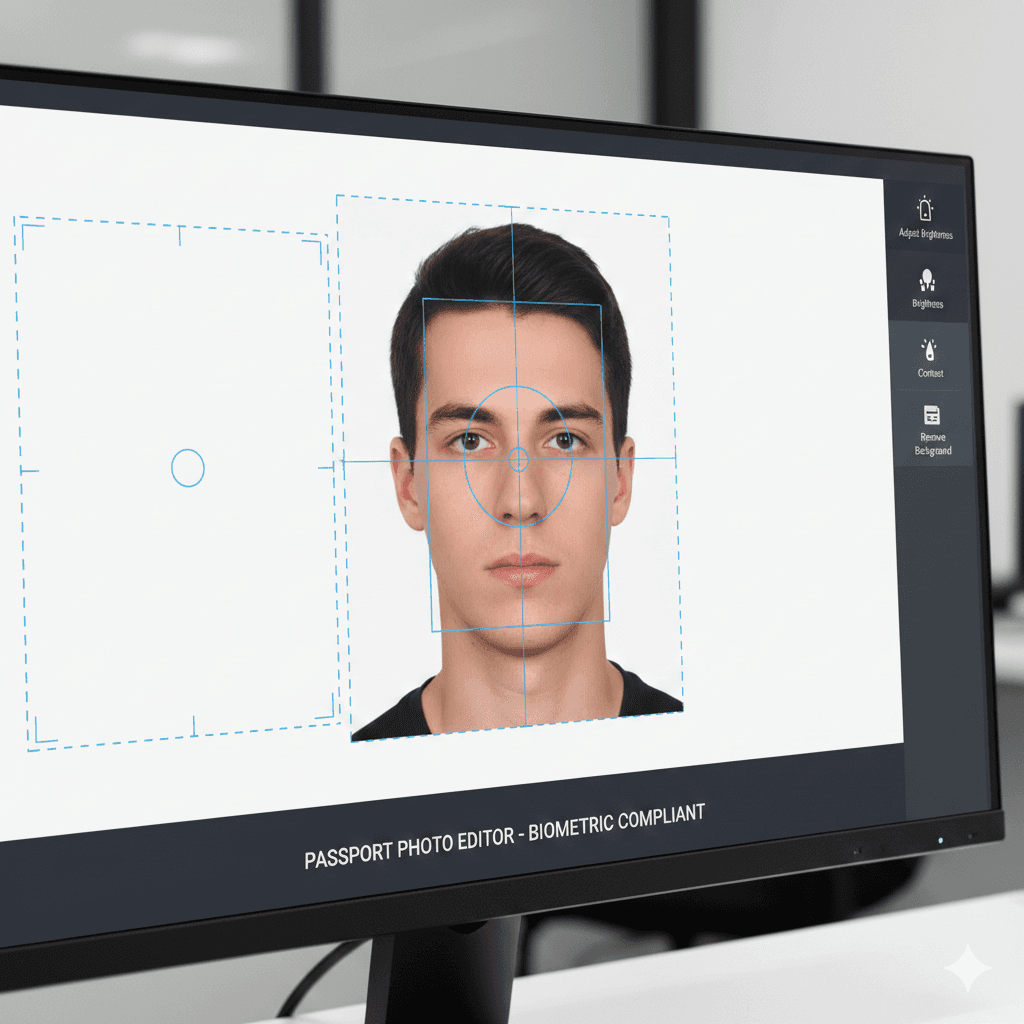
Need a passport photo but don't want to pay $15-30 at a photo store? Creating your own compliant passport photos at home is easier than ever with the right tools and knowledge. This guide will show you how to create professional passport photos that meet official requirements—all from the comfort of your home.
Understanding Passport Photo Requirements
US Passport Photo Standards
- Size: 2×2 inches (51×51 mm)
- Head size: 1 to 1⅜ inches (25-35 mm) from chin to top of head
- Background: Plain white or off-white
- Expression: Neutral expression, eyes open
- Recent: Taken within 6 months
- Quality: High resolution, sharp focus
International Variations
Different countries have specific requirements:
- UK: 45×35 mm, plain light grey or cream background
- Canada: 50×70 mm, plain white background
- Australia: 45×35 mm, plain light-colored background
- EU: 35×45 mm, light grey background preferred
The Cost of Traditional Passport Photos
Professional Photo Services
- CVS/Walgreens: $14.99-16.99
- Costco: $4.99 (membership required)
- UPS Store: $11.99-15.99
- Professional studios: $20-40
DIY Savings Potential
- Cost per photo: $0.10-0.50 (printing only)
- Setup time: 15-30 minutes
- Processing time: 5-10 minutes per photo
- Annual savings: $50-200+ for families
Essential Equipment for DIY Passport Photos
Basic Setup
Camera Options
- Smartphone (8MP or higher recommended)
- Digital camera with portrait mode
- Webcam (minimum 5MP for acceptable quality)
Lighting Requirements
- Natural window light (best option)
- Two desk lamps with white bulbs
- Ring light or photography light kit
- Avoid harsh shadows or uneven lighting
Background Solutions
- White poster board or foam core
- Light-colored wall
- White bedsheet or backdrop
- Temporary white paper backdrop
Advanced Setup (Optional)
- Tripod for stability and consistent framing
- Remote shutter or timer function
- Reflector to soften shadows
- Color checker for accurate colors
Step-by-Step Photo Shooting Guide
1. Prepare Your Space
Lighting Setup
- Position yourself facing a large window for natural light
- Avoid direct sunlight (causes harsh shadows)
- Use overcast daylight for even illumination
- Add desk lamps to fill shadows if needed
Background Preparation
- Hang white sheet or poster board behind you
- Ensure background extends beyond your shoulders
- Keep 2-3 feet distance between you and background
- Check for wrinkles or shadows on background
2. Camera Positioning
Height and Distance
- Camera at your eye level
- Sit or stand 4-6 feet from camera
- Use tripod or stable surface
- Enable grid lines for composition help
Framing Guidelines
- Head should fill frame from chin to top of head
- Leave space above head (10-15% of image)
- Center your face in the frame
- Ensure shoulders are square to camera
3. Taking the Perfect Shot
Posture and Expression
- Sit or stand straight with shoulders back
- Look directly at camera lens
- Neutral expression (no smiling for most countries)
- Keep mouth closed naturally
- Relax facial muscles
Technical Settings
- Use highest resolution available
- Focus on your eyes
- Take multiple shots for options
- Check for sharp focus and proper exposure
Background Removal and Editing Process
Method 1: AI-Powered Background Removal
Modern Solutions
- Upload your photo to an AI background removal tool
- Let the AI automatically detect and remove the background
- Download the result with transparent background
- Add official white background for passport compliance
Benefits
- No editing skills required
- Processes in seconds
- Maintains hair and edge details
- Consistent professional results
Method 2: Manual Smartphone Editing
Built-in Photo Editors Most smartphones include background removal:
- iPhone: Use Portrait mode and adjust background blur
- Android: Use built-in photo editor background features
- Samsung: Utilize Object Eraser in Gallery app
Free Mobile Apps
- PhotoRoom: AI-powered background removal
- Background Eraser: Manual and automatic options
- Canva: Templates and background tools
- PicsArt: Professional editing features
Method 3: Computer-Based Editing
Free Software Options
- GIMP: Professional-level tools, steeper learning curve
- Paint.NET: User-friendly with plugin support
- Canva: Browser-based with templates
- Photopea: Browser-based Photoshop alternative
Basic Editing Steps
- Open image in editing software
- Use magic wand or quick selection tool
- Select and delete background
- Add solid white layer behind subject
- Crop to passport photo dimensions
Ensuring Compliance with Official Standards
Size and Cropping Requirements
Measuring Guidelines
- Use ruler or template for accurate sizing
- Head height: 25-35mm for US passports
- Total photo size: 51×51mm (2×2 inches)
- Eye level: Positioned 28-35mm from bottom
Digital Preparation
- Set image resolution to 600 DPI minimum
- Crop to exact 2×2 inch dimensions
- Ensure head size meets requirements
- Save as high-quality JPEG
Quality Control Checklist
Technical Requirements
- Sharp focus throughout
- Proper exposure (not too dark/bright)
- Natural skin tones
- No digital artifacts or compression
- Correct file format (JPEG preferred)
Composition Requirements
- Eyes looking directly at camera
- Head centered in frame
- Appropriate head size (25-35mm height)
- Plain white background
- No shadows on face or background
- Recent photo (within 6 months)
Country-Specific Requirements
United States
- 2×2 inches, white background
- Head 1-1⅜ inches tall
- Neutral expression required
- No glasses (with few exceptions)
United Kingdom
- 45×35mm, light grey or cream background
- Face 29-34mm from chin to crown
- Natural expression allowed
- Clear view of face and features
Canada
- 50×70mm, plain white background
- Face 31-36mm from chin to crown
- Neutral expression preferred
- No head coverings except religious reasons
European Union
- 35×45mm, light background
- Face 32-36mm from chin to crown
- Neutral expression required
- Specific lighting requirements vary by country
Printing Your Passport Photos
Home Printing Options
Printer Requirements
- Photo quality printer (minimum 300 DPI)
- Photo paper (glossy or matte as required)
- Color calibration for accurate skin tones
- Proper paper size settings
Printing Tips
- Use highest quality print settings
- Print on photo paper for durability
- Allow ink to dry completely
- Cut carefully with sharp scissors or paper cutter
Professional Printing Services
Cost-Effective Options
- Online photo printing: $0.09-0.30 per print
- Local photo labs: $0.15-0.50 per print
- Office supply stores: $0.10-0.40 per print
- Drugstore photo counters: $0.15-0.60 per print
Quality Considerations
- Specify passport photo printing
- Verify color accuracy
- Request matte finish if required
- Check sizing before leaving store
Troubleshooting Common Issues
Background Problems
Uneven Lighting
- Solution: Add fill lighting or use natural window light
- Prevention: Test lighting before photo session
Shadows on Background
- Solution: Increase distance from background
- Prevention: Use diffused lighting sources
Background Color Issues
- Solution: Adjust white balance in editing
- Prevention: Use proper white background material
Subject Issues
Red Eye Effect
- Solution: Use red-eye removal in editing software
- Prevention: Avoid direct flash, use natural lighting
Blur or Motion
- Solution: Use tripod and timer function
- Prevention: Ensure adequate lighting for fast shutter speed
Incorrect Head Size
- Solution: Recrop or retake photo
- Prevention: Use measuring guide during shooting
Advanced Tips for Perfect Results
Lighting Techniques
Window Light Setup
- Best time: Overcast day or bright shade
- Position: Face the window directly
- Distance: 3-4 feet from window
- Fill: Use white poster board to reflect light
Artificial Light Setup
- Use two lamps at 45-degree angles
- Equal distance and power
- Soft white bulbs (3000K-4000K)
- Diffuse with white umbrella or sheet
Expression and Posing
Neutral Expression Mastery
- Relax jaw muscles
- Keep lips together naturally
- Maintain alert, open eyes
- Think pleasant thoughts without smiling
Posing for Different Countries
- US: Completely neutral, no emotion
- UK: Natural expression allowed
- Canada: Slight pleasant expression okay
- EU: Varies by country, generally neutral
Budget Breakdown: DIY vs Professional
DIY Costs
- Initial setup: $10-30 (background, basic lighting)
- Per photo session: $1-3 (printing costs)
- Time investment: 30-45 minutes first time, 15 minutes after
- Photos produced: 4-8 per session
Professional Services
- Per visit: $12-30
- Time required: 15-30 minutes + travel
- Convenience: High
- Customization: Limited
Annual Savings for Families
- Family of 4: $48-120 in photo costs
- Plus travel time and convenience
- Ability to retake as needed
- Skills transfer to other photo needs
Legal and Acceptance Considerations
Official Acceptance
DIY passport photos are legally acceptable when they meet requirements:
- Government agencies accept compliant photos regardless of source
- Focus on meeting technical specifications
- Keep receipts and documentation
- Consider having backup professional photos for critical applications
Risk Management
- Test with less critical applications first
- Have photos reviewed by knowledgeable friend
- Keep both digital and physical copies
- Budget for professional backup if rejected
Future-Proofing Your Setup
Equipment Investment
- Quality smartphone cameras continue improving
- LED lighting costs decreasing
- Editing software becoming more accessible
- Cloud storage for photo archives
Skill Development
- Practice with family members
- Learn basic editing techniques
- Understand lighting principles
- Stay updated on requirement changes
Conclusion
Creating your own passport photos is a practical skill that saves money and provides convenience for busy families. With the right setup and modern background removal tools, you can produce professional-quality passport photos that meet official requirements at a fraction of the cost of professional services.
The key to success is understanding the technical requirements, investing in basic equipment, and practicing the process. Modern AI-powered background removal tools have eliminated the need for advanced photo editing skills, making this process accessible to everyone.
Start with the basic setup and improve your equipment and techniques over time. Once you've mastered the process, you'll have the confidence and capability to handle passport photos for your entire family whenever needed.
Ready to start creating professional passport photos at home? Gather your equipment, set up your space, and begin practicing with these proven techniques.