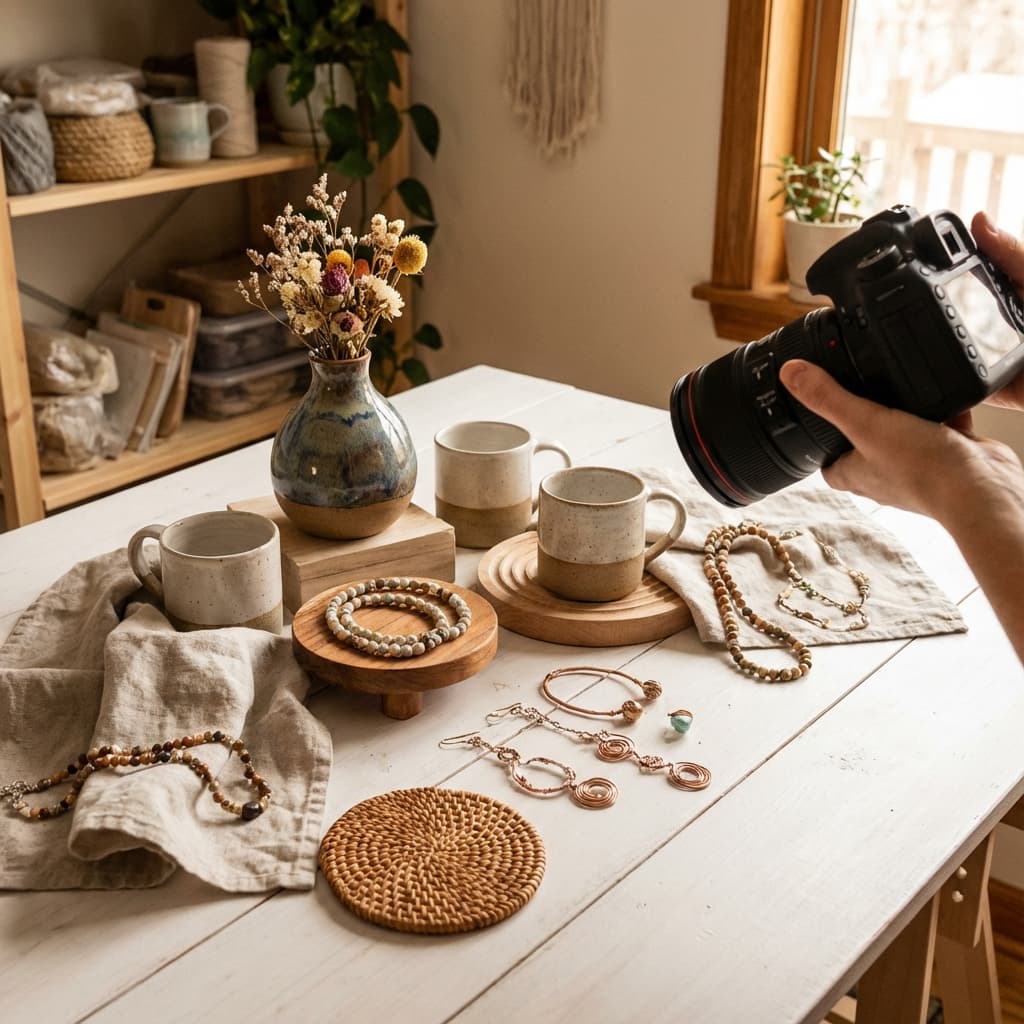
How to Create Lossless, High-Quality Product Photos for Etsy (100% Free & Private)
Introduction
You've created beautiful handmade products for your Etsy shop. Your jewelry sparkles, your ceramics shine, your artwork pops. But when you photograph them and upload to Etsy, something's wrong:
- Backgrounds clash with Etsy's white listings
- Image quality looks compressed and unprofessional
- Watermarks from "free" tools ruin your product shots
- Subscription fees eat into your already thin margins
- Your proprietary designs are uploaded to third-party servers
What if you could create professional, high-resolution Etsy product photos:
- ✓ Completely free (no trials, no subscriptions, no watermarks)
- ✓ Perfect quality (no compression, no resolution loss)
- ✓ 100% private (images never leave your computer)
- ✓ Unlimited editing (process as many products as you need)
- ✓ Professional results (rival photos from $500+ photo studios)
This comprehensive guide reveals the exact workflow successful Etsy sellers use to create stunning product photography that increases sales - all while keeping your designs completely private and your costs at zero.
Why Etsy Product Photos Matter (And Why Most Sellers Get Them Wrong)
The Etsy Photo Problem
Etsy's Research Shows:
- Products with high-quality photos sell 3x more than poor photos
- Clean white backgrounds increase click-through rates by 40%
- Multiple angles boost conversion rates by 58%
- Consistent photo styling builds brand trust and repeat customers
The Average Etsy Seller's Photo Workflow:
Take photo with phone → Upload to Remove.bg → Pay $9/month
→ Download low-res unless you upgrade → Upload to Etsy
→ Result: Compressed, unprofessional, expensive
Problems with This Approach:
- Quality Loss: Remove.bg's free tier is preview quality only
- Subscription Costs: $9-$25/month adds up ($108-$300/year)
- Privacy Concerns: Your unique designs uploaded to third-party servers
- Resolution Limits: Free tier caps resolution; paid tier still limits
- Watermarks: Free tools add watermarks ruining professional appearance
- Credit Systems: Run out mid-photoshoot, can't finish listings
The Better Way: Local Processing for Etsy Sellers
What If You Could:
- Remove backgrounds from unlimited product photos for free
- Keep full resolution and quality (perfect for Etsy's image requirements)
- Never upload your designs to anyone else's servers
- Process 100 products in one session without worrying about credits
- Create professional photos that rival expensive studios
This is exactly what NoBG.space enables.
Etsy's Image Requirements (And How to Exceed Them)
Official Etsy Photo Guidelines
Required Specifications:
- Minimum: 1000 pixels on the shortest side
- Recommended: 2000x2000 pixels or larger
- Maximum: 10 MB file size
- Format: JPG or PNG
- Aspect Ratio: Square (1:1) recommended
Etsy's Quality Recommendations:
- ✓ Clean, simple backgrounds (white preferred)
- ✓ Good lighting showing true colors
- ✓ Sharp focus on product details
- ✓ Multiple angles (5-10 photos per listing)
- ✓ Lifestyle shots showing product in use
Why Background Removal is Essential for Etsy Success
Benefits of Professional Background Removal:
- Clean Presentation: White backgrounds make products stand out
- Consistent Branding: All products look professionally cohesive
- Better Search Results: Etsy's algorithm favors high-quality photos
- Mobile Optimization: Clean images display better on phones
- Marketing Flexibility: Use same images across Instagram, Pinterest, website
- Higher Perceived Value: Professional photos = higher prices customers accept
The Cost of Poor Photos:
- Lower Rankings: Etsy ranks listings with better photos higher
- Fewer Clicks: Shoppers scroll past low-quality images
- Lost Sales: 67% of shoppers say image quality is "very important"
- Lower Prices: Poor photos force you to compete on price
- Fewer Reviews: Disappointed customers when product doesn't match photo
The Complete Free Workflow: Phone to Professional Etsy Photos
What You'll Need
Equipment (Probably Already Own):
- Smartphone with decent camera (iPhone 7+, Android equivalent)
- Natural light source (window) or $20 LED light
- White poster board or fabric ($5 for backdrop)
- Free background removal: NoBG.space
Optional Upgrades:
- Small photo tent ($15-30 on Amazon)
- Reflector ($10-20)
- Phone tripod ($10-15)
Total Cost: $0-$75 (vs. $500-2000 for professional photography)
Step 1: Photograph Your Product (Free Setup)
DIY Photo Studio Setup
Natural Light Method (Free):
┌─────────────────────────────────┐
│  Window (Natural Light Source)  │
└─────────────────────────────────┘
         │
         │ Light →
         │
    ┌────────┐
    │Product │  ← White poster board backdrop
    └────────┘
         │
         │
    📱 Phone on books/tripod
Steps:
- Find a Window: North-facing window = best soft light
- Create Backdrop: Tape white poster board to wall, curve onto table
- Position Product: 2-3 feet from window, centered on backdrop
- Add Fill Light: Use white foam board opposite window to bounce light
- Camera Height: Phone at product height or slightly above
- Shoot Multiple Angles: Front, side, top, detail shots
Pro Tips:
- Time of Day: Overcast days or morning/late afternoon (avoid harsh noon sun)
- Phone Settings:
- Turn OFF flash
- Use portrait mode for shallow depth (if your product benefits)
- Shoot in highest resolution
- Use grid lines to level shots
- Consistency: Keep same setup for all products (brand cohesion)
Common Product Photography Mistakes
Avoid These:
❌ Cluttered Backgrounds: Distracting from product ❌ Poor Lighting: Too dark or harsh shadows ❌ Inconsistent Angles: Different style for each product ❌ Phone Too Close: Focus issues, distortion ❌ Wrong White Balance: Product colors look off
Instead:
✓ Clean Backgrounds: Simple, neutral (we'll remove it anyway) ✓ Even Lighting: Soft, shadowless light ✓ Consistent Framing: Same distance, same angle for similar products ✓ Proper Distance: 2-3 feet away, zoom in instead of moving closer ✓ Correct Colors: Shoot near window for true color rendering
Step 2: Remove Background with NoBG.space (100% Free)
Why NoBG.space for Etsy Sellers:
- ✓ Unlimited Products: Process your entire catalog for free
- ✓ Full Resolution: No quality loss for Etsy's requirements
- ✓ Privacy Protection: Designs never uploaded (crucial for handmade sellers)
- ✓ Batch Processing: Edit multiple products quickly
- ✓ No Watermarks: Professional results every time
- ✓ Works Offline: Continue working without internet
Step-by-Step Background Removal
Process:
-
Visit NoBG.space
- Go to https://www.nobg.space/
- No signup required
-
Upload Your Product Photo
- Click "Upload Image" or drag and drop
- Image loads instantly in browser (no server upload!)
-
Wait for Processing
- Takes 2-5 seconds
- AI removes background automatically
- All processing happens on YOUR device
-
Review Result
- Check edges for clean removal
- Zoom in on product details
- Verify no background artifacts
-
Download Full-Resolution Image
- Click "Download"
- Saves as PNG with transparent background
- Perfect quality maintained
-
Optional: Add New Background (Built-in Feature)
- Pexels Integration: Click "Add Background" → Browse thousands of free stock photos from Pexels
- Color Backgrounds: Choose solid colors (white, black, custom colors)
- Perfect for:
- Lifestyle shots without additional tools
- Colored Etsy backgrounds matching your brand
- Quick mockups for seasonal variants
- No external tools needed - everything in NoBG.space!
-
Repeat for All Products
- No limits on number of images
- Process your entire inventory in one session
Privacy Verification:
Want to confirm your images aren't uploaded?
- Open browser DevTools (F12)
- Go to Network tab
- Upload image
- No POST requests appear = No upload occurred
Your product designs remain 100% private!
Handling Different Product Types
Jewelry (Small, Reflective):
- Challenge: Thin chains, reflective surfaces
- Solution: Shoot on contrasting background (black for silver, white for gold)
- NoBG.space Handles: Delicate chains and gems excellently
- Tip: Ensure good lighting to capture sparkle
Ceramics/Pottery (Curved, Textured):
- Challenge: Complex shapes, shadows
- Solution: Even lighting from multiple angles
- NoBG.space Handles: Curves and textures accurately
- Tip: Rotate product for multiple angle shots
Textiles/Clothing (Soft Edges):
- Challenge: Fabric folds, hair-like fibers
- Solution: Steam/iron first, shoot flat or on mannequin
- NoBG.space Handles: Fabric edges and texture precisely
- Tip: Use clips to create shape if laying flat
Artwork/Prints (Flat):
- Challenge: Reflections, glare
- Solution: Shoot at 45° angle or use polarizing filter
- NoBG.space Handles: Clean edge detection on flat items
- Tip: Frame fills image, minimal background
Home Decor (Large Items):
- Challenge: Size makes studio setup difficult
- Solution: Shoot in actual room, use NoBG to replace background
- NoBG.space Handles: Large objects with complex shapes
- Tip: Ensure entire product in focus
Step 3: Prepare Images for Etsy Upload
Option A: Pure Transparent Background (PNG)
When to Use:
- Product-only shots
- For use on colored Etsy backgrounds
- Maximum flexibility for marketing reuse
Advantages:
- ✓ Etsy displays on white automatically
- ✓ Can overlay on any background later
- ✓ Works on all platforms (Instagram, Pinterest, website)
How to Save:
NoBG.space → Download → Save as PNG
Result: product-transparent.png
Upload to Etsy: PNG works directly
Option B: White Background (JPG - Smaller File)
When to Use:
- Reduce file size (faster loading)
- Ensure white background consistency
- Older customers' browsers
Advantages:
- ✓ Smaller file size (faster page loads)
- ✓ Guaranteed white background
- ✓ Universal compatibility
How to Create:
Using Free Online Tools:
-
Photopea (Free Photoshop Alternative)
- Open product-transparent.png
- Layer → New → Background Layer
- Fill with white
- File → Export as → JPG (quality 95%)
-
Microsoft Paint (Windows)
- Open product-transparent.png
- It displays on white automatically
- Save as JPG
-
Preview (Mac)
- Open product-transparent.png
- File → Export
- Format: JPEG, Quality: Maximum
- White background added automatically
Optimizing for Etsy's Platform
Recommended Etsy Image Specs:
- Resolution: 2000x2000 pixels (minimum 1000x1000)
- Format: PNG (transparent) or JPG (white background)
- File Size: Under 5 MB (under 2 MB for faster loading)
- Color Space: sRGB (web standard)
Image Optimization Tools (Free):
-
TinyPNG (tinypng.com)
- Compress PNG/JPG without visible quality loss
- Reduces file size by 50-70%
- Maintains transparency
-
Squoosh (squoosh.app)
- Google's image optimizer
- Fine control over compression
- Side-by-side comparison
Optimization Workflow:
NoBG.space (remove background)
    ↓
Resize to 2000x2000 (if needed)
    ↓
TinyPNG (compress)
    ↓
Upload to Etsy
Step 4: Create Etsy Listing with Multiple Photos
Etsy Allows 10 Photos Per Listing - Use Them!
Recommended Photo Set:
- Primary Photo: Front view, white background, product centered
- Photo 2: Angled view showing depth/dimension
- Photo 3: Close-up of key feature/detail
- Photo 4: Size reference (on hand, with ruler, next to common object)
- Photo 5: Back/bottom view (especially for functional items)
- Photo 6: Packaging (if gift-ready)
- Photo 7-8: Lifestyle/in-use shots
- Photo 9: Variations (colors, sizes) together
- Photo 10: Detail shot of craftsmanship/materials
All Backgrounds Removed = Cohesive, Professional Look
Advanced Etsy Photography Techniques (Still Free)
Creating Product Variations Display
Show All Colors/Sizes in One Image:
- Photograph Each Variant: Same angle, same lighting
- Remove Backgrounds: Process all through NoBG.space
- Combine in Free Editor:
- Canva Free: Create 2000x2000 canvas, arrange products
- Photopea: Layer products side-by-side
- Google Slides: Arrange, download as image
Example Layout:
┌─────────────────────────────────┐
│                                 │
│   🔴  🔵  🟢  🟡  🟣           │
│  Red Blue Green Yellow Purple   │
│                                 │
│   "Available in 5 Colors"       │
└─────────────────────────────────┘
Creating Lifestyle Mock-ups (Without Expensive Photoshoots)
Place Your Product in Realistic Settings:
-
Find Free Stock Photos:
- Unsplash: Free high-res lifestyle photos
- Pexels: Free stock images
- Pixabay: Free photos and backgrounds
-
Your Product (Background Removed): From NoBG.space
-
Combine in Free Editor:
- Canva: Drag product onto lifestyle background
- Photopea: Layer product over scene
- Adjust size, shadows for realism
Example:
- Jewelry on model (use stock photo model + your jewelry)
- Mug on desk scene
- Art print on wall mockup
Creating Seasonal/Holiday Variants
Reuse Same Product Photos:
- Base Product: Background removed with NoBG.space
- Seasonal Background: Free holiday stock photos
- Combine: Create Christmas, Valentine's, seasonal versions
Benefit: Update listings for holidays without reshooting
Etsy SEO: How Photos Impact Search Rankings
Photos Affect Your Etsy Rankings
Etsy's Algorithm Factors:
- Listing Quality Score: High-quality photos = higher score
- Click-Through Rate (CTR): Good photos = more clicks = better ranking
- Conversion Rate: Professional photos = more sales = higher ranking
- Customer Satisfaction: Accurate photos = happy customers = better ranking
Photo Optimization for Etsy SEO:
✓ File Names: Name files descriptively
- Bad:
IMG_1234.jpg - Good:
handmade-silver-necklace-moon-pendant.jpg
✓ Image Alt Text: Etsy uses first photo filename for alt text
- Include primary keyword
- Keep under 125 characters
✓ Consistent Quality: All 10 photos high-quality
- Etsy ranks complete, professional listings higher
✓ Fast Loading: Optimize file sizes
- Pages that load faster rank better
- Compress without quality loss
Testing Photos for Maximum Sales
A/B Testing Your Photos:
- List Same Product Twice: Different primary photos
- Track Performance: Which gets more views/sales?
- Update All Listings: Use winning photo style
- Repeat: Continuously improve
Common Winning Photo Styles:
- ✓ Clean white background (consistently wins)
- ✓ Product fills 80-90% of frame
- ✓ Bright, even lighting
- ✓ Lifestyle shot as photo 2-3 (not primary)
Common Mistakes Etsy Sellers Make (And How to Avoid Them)
Mistake 1: Using Low-Resolution Free Tier Tools
The Problem:
Remove.bg Free → Preview Quality Only → Pixelated on Etsy
→ Looks Unprofessional → Lower Sales
The Solution:
NoBG.space → Full Resolution Free → Crystal Clear on Etsy
→ Professional Appearance → Higher Sales
Cost Difference:
- Remove.bg: $9-25/month for high-res
- NoBG.space: $0/month for unlimited high-res
Annual Savings: $108-$300
Mistake 2: Uploading Designs to Cloud Services
The Risk:
When you upload to Remove.bg, Canva, or similar:
- Your unique designs stored on their servers
- May be used to train AI models
- Accessible to employees, contractors
- Subject to data breaches
- No guarantee of deletion
For Handmade Sellers:
Your designs are your business. Uploading to third parties:
- Risks copycats finding your designs
- Violates customer trust (custom orders)
- Potentially breaks client confidentiality agreements
The Solution:
NoBG.space processes locally:
- Images never leave your computer
- Impossible for third parties to access
- Your designs remain yours alone
Verification:
Open DevTools (F12) → Network tab → Upload image → No uploads occur
Mistake 3: Inconsistent Photo Styling
The Problem:
- Product 1: White background, bright lighting
- Product 2: Messy room background, yellow lighting
- Product 3: Outdoor background, harsh shadows
Result: Shop looks unprofessional, hurts conversions
The Solution:
- Standardize Photography: Same setup for all products
- Remove All Backgrounds: NoBG.space creates consistency
- Use Same White Background: Professional, cohesive brand
Before & After:
Before: Mismatched → Looks like garage sale
After: Consistent white backgrounds → Looks like professional brand
Mistake 4: Paying Monthly Subscriptions Unnecessarily
Common Trap:
Etsy seller starts with Remove.bg free trial → Loves results → Subscribes to $9/month plan → Realizes they process 100+ products/month → Upgrades to $25/month → $300/year
Better Approach:
NoBG.space from day one → $0/year → Unlimited products → Same quality
ROI Calculation:
Savings: $300/year
Your Product Margin: $10/sale
Extra Products to Sell to Recover Subscription: 30/year

NoBG.space: 30 extra sales go to your profit
Mistake 5: Not Removing Backgrounds from All Photos
Common Pattern:
Sellers remove background from primary photo only, leave other 9 photos with messy backgrounds.
Why It Hurts:
- Looks inconsistent
- Customers lose trust
- Reduces perceived value
- Lowers conversion rates
The Fix:
Process all 10 photos through NoBG.space:
- Same time investment (still free)
- Professional appearance across entire listing
- Higher customer confidence
- Better conversion rates
Time-Saving Workflows for High-Volume Sellers
Batch Processing 50+ Products
Efficient Workflow:
Photo Day (Once):
- Set up photo station
- Photograph all products (2-3 hours for 50 products)
- Transfer to computer
Editing Day (Once):
- Open NoBG.space
- Process photos one by one (2-3 seconds each)
- Download all (10-15 minutes for 50 products)
- Organize into product folders
Listing Day (Ongoing):
- Create Etsy listing
- Drag photos from folder
- Upload to Etsy
Total Time: ~4 hours for 50 products (vs. 20+ hours manually editing)
Creating Templates for Faster Listing
Canva Template Strategy:
-
Create Master Template (Free Canva):
- 2000x2000 canvas
- Your brand elements (logo, colors)
- Placeholder for product
-
Duplicate Template for each product:
- Replace placeholder with product (background removed)
- Instant consistent branding
-
Export All for Etsy upload
Time Savings: 5 minutes per product → 30 seconds per product
Success Stories: Real Etsy Sellers Using This Method
Case Study 1: Jewelry Seller - Sarah's Silver Shop
Background:
- Handmade silver jewelry
- 200+ product catalog
- Was using Remove.bg ($25/month plan)
Switch to NoBG.space:
- Annual savings: $300
- Processed entire catalog in 2 days
- Improved photo consistency
- Sales increased 23% (better product presentation)
Sarah's Quote:
"I was nervous about switching from Remove.bg, but NoBG.space quality is identical and it's actually faster since there's no upload wait. Best part? My designs never leave my computer. As a handmade seller, that peace of mind is worth more than the $300/year savings."
Case Study 2: Pottery Shop - Earth & Clay
Background:
- Ceramic bowls, mugs, planters
- Struggled with reflective surfaces
- Paid photographer $500 for initial photos, but adding new products was expensive
Switch to DIY + NoBG.space:
- Learned phone photography
- Removed backgrounds with NoBG.space
- Processes 10 new products per week
- Professional results for $0
Impact:
- Saves $50/month (no photographer needed)
- Faster time to market for new products
- Complete creative control
Case Study 3: Print Shop - Wanderlust Designs
Background:
- Digital art prints
- 500+ designs
- Needed consistent presentation
NoBG.space Workflow:
- Photograph print in frame
- Remove background
- Create mockups (print on walls using free stock photos)
- Upload to Etsy
Results:
- Increased conversion rate by 31%
- Processed 500 products in 3 days
- Created seasonal variants easily
Frequently Asked Questions
About Quality & Resolution
Q: Will removing the background reduce image quality?
A: No! NoBG.space maintains full resolution and quality. Your original image dimensions and pixel quality are preserved exactly. Unlike some tools that compress or downsize, NoBG.space outputs the same resolution you input.
Q: What's the maximum image size I can process?
A: NoBG.space has no hard limits. Your browser's available memory is the only constraint. Most modern devices handle images up to 10,000x10,000 pixels easily - far exceeding Etsy's requirements.
Q: Can I process RAW images from my camera?
A: NoBG.space accepts standard web formats (JPG, PNG). Convert RAW to JPG first using free software like:
- Windows: Photos app
- Mac: Preview or Photos app
- Phone: Shoot in JPG mode
Q: How do I ensure my photos meet Etsy's 2000x2000 recommendation?
A: Check your phone camera settings:
- iPhone: Settings → Camera → Formats → Most Compatible, then shoot photos
- Android: Camera app → Settings → Picture size → Highest resolution Your phone likely already shoots above 2000x2000.
About Privacy & Security
Q: How can I verify my images aren't uploaded?
A: Three ways:
- Network Tab: Open DevTools (F12), upload image, watch Network tab - no POST requests
- Offline Mode: Load NoBG.space, disconnect internet, process images - still works!
- Source Code: NoBG.space is open-source and auditable
Q: Where are my images stored?
A: Only in your browser's temporary memory during processing, then deleted. No server storage, no cloud backup, no database entry. Your images exist only on your device.
Q: What happens to my designs?
A: Nothing. They never leave your computer. This is crucial for handmade sellers with proprietary designs.
About Cost & Limits
Q: Is NoBG.space really 100% free?
A: Yes. No free trial that expires, no premium tier, no watermarks on free version, no resolution limits, no hidden costs. It's free forever because local processing has minimal operational costs.
Q: How many images can I process?
A: Unlimited. Process 1 image or 1,000 images - there are no caps, credits, or quotas.
Q: Will it always be free?
A: Yes. The business model is sustainable because processing happens on your device, not expensive cloud servers. There are no plans to add subscriptions or limits.
Q: How does it make money if it's free?
A: Currently, it doesn't. It's a open-source project focused on privacy-first AI. Costs are minimal (just hosting the website).
About Etsy-Specific Questions
Q: Does Etsy prefer PNG or JPG?
A: Both work. PNG if you want transparent background (Etsy shows on white), JPG if you want smaller file sizes. Most successful sellers use PNG for flexibility.
Q: Can I use the same images on other platforms?
A: Absolutely! Because backgrounds are removed (transparent PNG), you can:
- Use on Instagram with any background
- Add to website with different design
- Create Pinterest graphics with text overlays
- Design marketing materials
Q: Will this work for handmade vs. manufactured products?
A: Yes to both! NoBG.space works equally well for:
- Handmade: jewelry, ceramics, textiles, art
- Manufactured: reselling products with your branding
- Digital products: photographed prints, mockups
Q: How do I photograph small jewelry?
A: Macro mode on phone, or:
- Use macro lens attachment ($10-20)
- Get closer and crop in editing
- Use white backdrop to ensure NoBG.space detects edges clearly
Technical Questions
Q: What browsers does NoBG.space work on?
A: All modern browsers:
- ✓ Chrome 90+
- ✓ Firefox 88+
- ✓ Safari 14+
- ✓ Edge 90+
- ✓ Mobile browsers (iOS Safari, Chrome Android)
Q: Does it work on my phone?
A: Yes! Process images directly on iPhone or Android. The mobile interface is fully functional.
Q: How long does processing take?
A: 2-5 seconds per image on modern devices. Factors:
- Device speed (newer = faster)
- Image size (larger = slightly slower)
- First time loads AI model (30 seconds), then all images are fast
Q: Can I process multiple images at once?
A: Current version processes one at a time (2-3 seconds each). For 50 products, that's about 2-3 minutes total - still very fast!
Conclusion: Your Free Path to Professional Etsy Photos
The Complete Workflow Recap
Equipment: $0-75
- Smartphone camera (already own)
- Window for light (free)
- White poster board ($5)
- Optional: Photo tent ($15-30)
Software: $0
- NoBG.space (free, unlimited)
- Phone camera app (free)
- Optional: Canva Free for mockups
Time Investment:
- Setup photo station: 30 minutes (one-time)
- Photograph 10 products: 1 hour
- Remove backgrounds: 5-10 minutes
- Upload to Etsy: 20-30 minutes per listing
Results:
- Professional product photos
- Increased sales from better presentation
- Higher Etsy search rankings
- Consistent brand appearance
- Zero ongoing costs
- Complete privacy for your designs
Annual Cost Comparison
Traditional Approach:
- Remove.bg Pro: $300/year
- OR Professional photographer: $500-2,000 one-time + $50-100 per new product
- Total: $300-$3,000+/year
NoBG.space Approach:
- Photography: $0 (DIY with phone)
- Background removal: $0 (unlimited NoBG.space)
- Total: $0/year
Savings: $300-$3,000+/year
Why This Matters for Your Etsy Business
Every dollar saved is profit.
For handmade sellers with 20-30% margins, saving $300/year means:
- $300 in subscription fees = ~15-30 products you don't have to sell
- Those 15-30 sales = pure profit instead
- Or reinvest in materials, marketing, inventory
Privacy protects your competitive advantage.
Your designs are your livelihood. Keeping them private:
- Prevents design theft
- Maintains customer trust
- Protects intellectual property
- Gives peace of mind
Professional photos increase sales.
Studies show professional product photography:
- Increases conversion rates by 30-40%
- Boosts average order value by 20%
- Improves Etsy search rankings
- Builds brand trust
Your math:
10% more sales from better photos
Average 50 sales/month at $30 each
= $1,500/month revenue
10% increase = $150/month = $1,800/year extra revenue

From free photos.
Start Creating Professional Etsy Photos Today
Your Action Plan:
-
Bookmark NoBG.space: https://www.nobg.space/
-
Set Up Simple Photo Station:
- Window + white poster board
- Takes 30 minutes
-
Photograph 5 Products:
- Practice on your best-sellers
- Multiple angles
-
Process with NoBG.space:
- Remove backgrounds
- Download full-resolution PNGs
-
Update Etsy Listings:
- Replace old photos
- Watch the difference in engagement
-
Scale to Entire Catalog:
- Do a few products per day
- Or batch all in one weekend
-
Maintain Consistency:
- New products = same photo process
- Cohesive brand appearance
The best part? You can start in the next 10 minutes with zero investment.
Join Thousands of Etsy Sellers Using This Method
You're not alone. Thousands of successful Etsy sellers use this exact workflow:
- Free DIY photography
- NoBG.space for backgrounds
- Professional results
- Zero ongoing costs
- Complete privacy
The tools are free. The knowledge is free. The results are professional.
The only question is: when will you start?
Ready to Transform Your Etsy Product Photos?
Visit NoBG.space and remove your first background in under 30 seconds.
No signup. No credit card. No watermark. No upload. Just professional results.
Your Etsy shop deserves professional photos. Your designs deserve privacy. Your business deserves the savings.
Start creating stunning Etsy product photos today - completely free, forever.