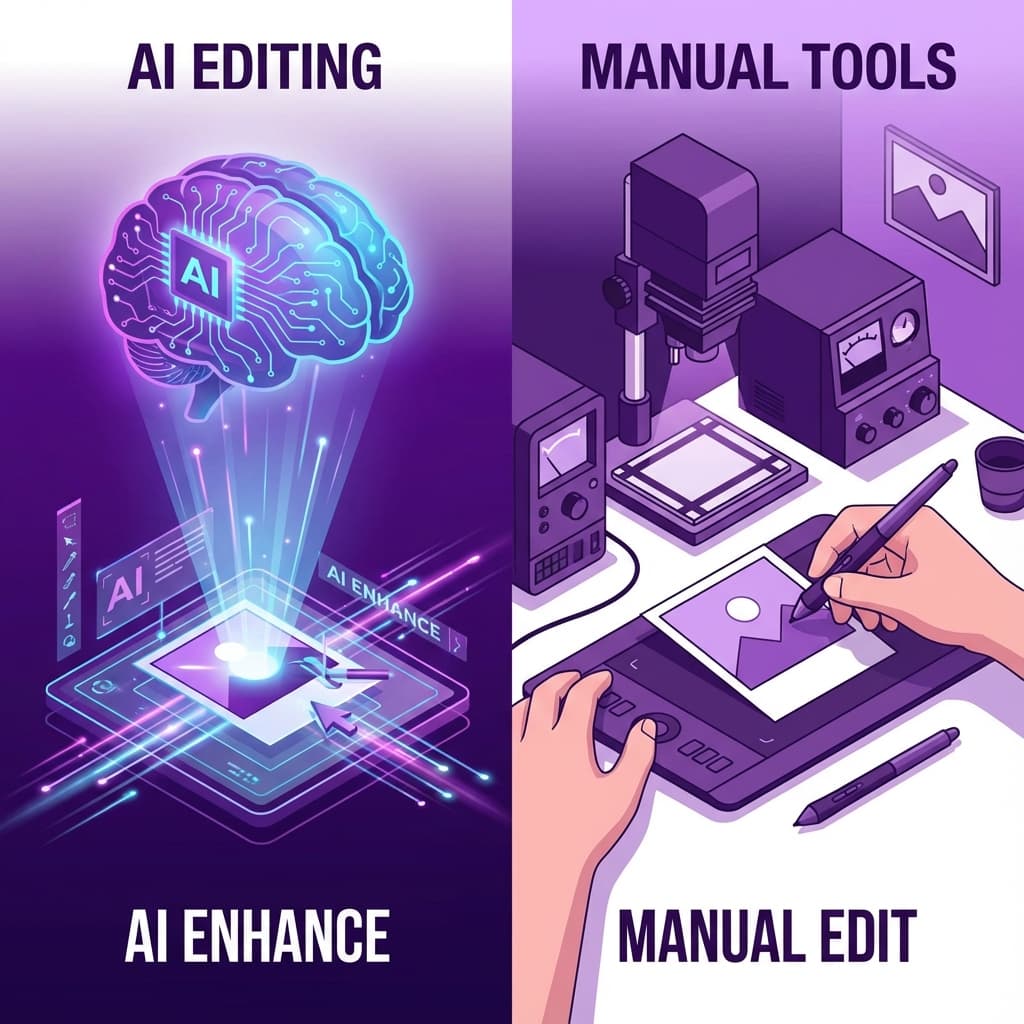
AI vs Traditional Photo Editing Tools: Why Smart Automation is Revolutionizing Image Editing in 2025
Introduction
The photo editing world is experiencing a seismic shift. What once required years of Photoshop mastery and hours of manual work can now be accomplished in seconds with AI-powered tools. But does artificial intelligence really rival traditional photo editing software?
In this comprehensive analysis, we'll pit AI-powered editing tools against traditional software like Photoshop, GIMP, and Lightroom across every dimension that matters: speed, quality, cost, learning curve, and professional capabilities.
Whether you're a professional photographer, small business owner, content creator, or hobbyist, this guide will help you understand when to use AI tools versus traditional software—and how to maximize the benefits of both approaches.
The bottom line preview: AI tools excel at specific tasks (background removal, basic adjustments, automated corrections) while traditional tools remain superior for complex creative work. The future belongs to photographers who leverage both strategically.
The Traditional Photo Editing Landscape
The Photoshop Era: Power Comes with Complexity
For over three decades, Adobe Photoshop has dominated professional photo editing. Its comprehensive toolset can accomplish virtually anything—but at a cost.
Traditional Tool Strengths:
- Complete creative control: Every pixel can be manually adjusted
- Professional workflow support: Color management, batch processing, scripting
- Industry standard: Universal compatibility and acceptance
- Unlimited possibilities: If you can imagine it, Photoshop can create it
- Non-destructive editing: Layer-based workflows preserve original images
Traditional Tool Challenges:
- Steep learning curve: Months to years to achieve proficiency
- Time-intensive: Simple tasks often require multiple complex steps
- Expensive: $20-60/month subscriptions add up quickly
- Overwhelming: Hundreds of tools and options create decision paralysis
- Technical barrier: Requires understanding of layers, masks, blend modes
The Manual Labor Problem
Time Investment Reality:
- Background removal: 10-30 minutes per image manually
- Color correction: 5-15 minutes for basic adjustments
- Skin retouching: 15-45 minutes per portrait
- Batch processing: Hours of repetitive manual work
- Learning curve: 100+ hours to become reasonably proficient
Professional Workflow Costs:
- Time = Money: At $50/hour, 20 minutes of editing costs $16.67 per image
- Scale problems: Processing 100 images manually = 30+ hours of work
- Consistency issues: Manual work leads to variations in quality
- Burnout factor: Repetitive tasks drain creativity and motivation
The AI Revolution in Photo Editing
How AI Changes Everything
Artificial Intelligence transforms photo editing from manual labor into intelligent automation. Instead of manually selecting pixels, adjusting curves, and painting masks, AI analyzes your image and makes intelligent decisions automatically.
AI-Powered Editing Capabilities:
- Object recognition: Instantly identifies people, backgrounds, objects, animals
- Semantic understanding: Knows what should be edited vs. preserved
- Pattern matching: Learns from millions of examples to make smart decisions
- Automated workflows: Completes multi-step processes in single operations
- Continuous improvement: Gets better over time with more training data
Current AI Tool Categories
Background Removal AI:
- Tools like NoBG.space, Remove.bg
- Task: Remove/replace backgrounds automatically
- Speed: 2-5 seconds vs. 10-30 minutes manually
- Quality: Professional results without expertise
Portrait Enhancement AI:
- Tools like Portrait Pro, FaceApp
- Task: Skin retouching, teeth whitening, eye enhancement
- Speed: Instant vs. 15-45 minutes manually
- Quality: Natural-looking improvements
General Enhancement AI:
- Tools like Topaz AI, Adobe Sensei
- Task: Upscaling, noise reduction, sharpening
- Speed: 30 seconds vs. hours of manual work
- Quality: Often superior to manual techniques
Creative AI:
- Tools like Midjourney, DALL-E for generation
- Task: Creating images from text descriptions
- Speed: Minutes vs. impossible manually
- Quality: Professional-grade creative output
Head-to-Head Comparison: AI vs Traditional
Speed: The Time Revolution
Background Removal Example:
Traditional Method (Photoshop):
- Open image in Photoshop (30 seconds)
- Duplicate layer (10 seconds)
- Select subject tool (2 minutes to refine)
- Create layer mask (30 seconds)
- Refine mask edges (5-15 minutes)
- Manual cleanup (5-10 minutes)
- Save and export (1 minute) Total time: 15-30 minutes
AI Method (NoBG.space):
- Upload image (10 seconds)
- AI processing (2-3 seconds)
- Download result (10 seconds) Total time: 25 seconds
Speed advantage: AI is 40-70x faster
Quality: Precision vs. Automation
AI Quality Strengths:
- Consistency: Same high quality every time
- Edge detection: Superior at finding precise boundaries
- Hair and fur: Excellent at complex edge cases
- No human error: Eliminates manual mistakes
- Continuous improvement: Gets better over time
Traditional Quality Strengths:
- Creative control: Unlimited artistic possibilities
- Complex compositions: Handle unusual situations
- Stylistic choices: Personal artistic interpretation
- Problem solving: Adapt to unique challenges
- Final polish: Pixel-perfect refinement
Quality Verdict:
- AI wins: Automated tasks (90-95% of common edits)
- Traditional wins: Creative/artistic work (complex compositions)
- Tie: Final output quality when properly executed
Cost: Free vs. Subscription
AI Tool Costs:
NoBG.space (Background Removal):
- Cost: Free forever
- Limitations: None
- Value: Professional results at $0
Remove.bg (Background Removal):
- Cost: $9-299/month
- Limitations: Credit-based system
- Value: Good for API integration
Traditional Tool Costs:
Adobe Creative Cloud:
- Photography Plan: $20/month ($240/year)
- Full Suite: $60/month ($720/year)
- Learning investment: 100+ hours of training
GIMP (Free Alternative):
- Cost: Free
- Learning curve: Still significant
- Time investment: High manual labor
5-Year Total Cost Comparison:
Scenario: Small business processing 100 images/month
- AI approach (NoBG.space): $0 total
- Adobe Photography Plan: $1,200 over 5 years
- Adobe Full Suite: $3,600 over 5 years
- Time cost (manual editing): $10,000+ in labor value
AI savings: $1,200-13,600 over 5 years
Learning Curve: Instant vs. Mastery
AI Tools Learning Curve:
- Time to proficiency: 5-15 minutes
- Required skills: Basic computer literacy
- Training needed: None to minimal
- Expertise level: Instant professional results
- Barriers: Virtually none
Traditional Tools Learning Curve:
- Time to basic proficiency: 20-50 hours
- Time to advanced skills: 100-500 hours
- Required skills: Technical understanding, artistic eye
- Training needed: Courses, tutorials, practice
- Barriers: Significant time and effort investment
Real-World Impact:
- AI: Small business owner can start today
- Traditional: Requires dedicated learning commitment
- Productivity: AI users productive immediately
- Investment: Traditional tools require substantial upfront investment
When AI Tools Excel
Perfect Use Cases for AI Automation
High-Volume Repetitive Tasks:
- E-commerce product photography (hundreds/thousands of images)
- Social media content creation (daily posting)
- Real estate photography (batch processing)
- Corporate headshots (team photos)
- Event photography (large collections)
Specific Technical Operations:
- Background removal (AI superior to manual)
- Object recognition and isolation
- Noise reduction and sharpening
- Automated color correction
- Batch resizing and optimization
Time-Sensitive Workflows:
- News and journalism (immediate publishing deadlines)
- Social media marketing (real-time content needs)
- Event live posting (instant results required)
- Client quick turnarounds (same-day delivery)
Budget-Conscious Operations:
- Startup and small business content creation
- Freelancer cost optimization
- Student and hobbyist projects
- High-volume, low-margin work
AI Success Stories
Case Study 1: E-commerce Startup
- Challenge: Process 500 product photos/week
- Traditional approach: $2,000/week in editing costs
- AI solution: Free background removal + basic adjustments
- Result: $104,000 annual savings, same quality output
Case Study 2: Social Media Agency
- Challenge: Create 200+ posts/month for multiple clients
- Traditional bottleneck: 40 hours/week editing time
- AI transformation: 90% time reduction with automated tools
- Result: Doubled client capacity without hiring
Case Study 3: Wedding Photographer
- Challenge: Quick turnaround for preview galleries
- Solution: AI for initial processing, manual for final albums
- Result: Same-day preview delivery, higher client satisfaction
When Traditional Tools Remain Superior
Complex Creative Work
Artistic Photography:
- Fine art creation: Requires personal artistic vision
- Complex compositing: Multiple image combinations
- Stylistic interpretation: Unique creative choices
- Brand-specific aesthetics: Custom looks and feels
Professional Retouching:
- High-end beauty work: Subtle, natural-looking enhancements
- Fashion photography: Precise creative control needed
- Product photography: Exact brand color matching
- Architectural imagery: Perspective and distortion correction
Technical Precision Work:
- Medical imaging: Accuracy critical, liability concerns
- Legal documentation: Precise reproduction requirements
- Scientific photography: Accurate color and measurement
- Print production: CMYK color management essential
Creative Problem Solving
Unique Challenges:
- Unusual lighting situations: AI not trained for edge cases
- Complex artistic vision: Personal creative interpretation
- Brand-specific requirements: Custom corporate aesthetics
- Technical specifications: Precise client demands
Examples Where Manual Control Essential:
- Magazine covers: Precise artistic vision and brand alignment
- Luxury brand photography: Exact color and quality standards
- Architectural visualization: Precise perspective and proportions
- Medical device photography: Accurate representation critical
The Hybrid Approach: Best of Both Worlds
Strategic Tool Selection
Smart Workflow Combination:
- AI for automation: Handle repetitive, technical tasks
- Traditional for creativity: Artistic vision and complex edits
- AI for speed: Quick turnarounds and high volume
- Traditional for precision: Final quality control and refinement
Practical Hybrid Workflows
Portrait Photography Hybrid Process:
- AI background removal (2 seconds vs. 15 minutes)
- AI skin smoothing (automatic vs. 20 minutes manual)
- Traditional color grading (artistic vision)
- Traditional final polish (personal style) Result: 70% time savings, maintained creative control
E-commerce Hybrid Process:
- AI background removal (batch processing)
- AI basic color correction (consistency across catalog)
- Traditional brand color matching (exact specifications)
- Traditional final quality review (brand standards) Result: Scalable process with quality control
Event Photography Hybrid:
- AI batch processing (initial edits for 500+ photos)
- Traditional selection (artistic curation)
- AI enhancement (exposure, color correction)
- Traditional finishing (final gallery preparation) Result: Fast delivery with professional quality
Cost-Benefit Analysis: Making the Right Choice
Break-Even Analysis
When AI Makes Financial Sense:
High Volume Operations:
- Processing 50+ images/month: AI saves substantial time
- E-commerce catalogs: Free processing vs. expensive manual work
- Social media content: Daily posting requirements favor automation
Budget-Constrained Projects:
- Startup content creation: $0 vs. $240-720/year subscriptions
- Student work: Free tools vs. expensive software licenses
- Small business marketing: Professional results without professional costs
Time-Sensitive Work:
- News and journalism: Immediate processing needs
- Event live posting: Real-time social media requirements
- Client rush jobs: Fast turnaround competitive advantage
When Traditional Tools Justify Costs
High-Value Creative Work:
- Wedding albums ($2,000+ value): Manual control worth the investment
- Commercial campaigns ($10,000+ budgets): Creative precision essential
- Fine art prints: Artistic vision requires manual interpretation
Professional Service Businesses:
- Photography studios: Client expectations for custom work
- Design agencies: Brand-specific creative requirements
- Advertising firms: Unique creative vision competitive advantage
ROI Calculations
Freelancer Example:
- Traditional approach: $60/month software + 20 hours/month editing = $1,720/month total cost
- AI hybrid approach: $0 tools + 5 hours/month editing = $250/month total cost
- Annual savings: $17,640 while maintaining quality
Small Business Example:
- Traditional: $240/year software + $5,000 outsourced editing
- AI approach: $0 + minimal time investment
- Savings: $5,240/year available for business growth
Technical Deep Dive: How AI Actually Works
Understanding AI Photo Processing
Machine Learning Fundamentals:
- Training data: AI learns from millions of example images
- Pattern recognition: Identifies common editing scenarios
- Automated decision making: Applies learned patterns to new images
- Continuous improvement: Performance increases with more data
Background Removal AI Process:
- Image analysis: AI identifies objects, people, backgrounds
- Boundary detection: Finds precise edges using advanced algorithms
- Confidence mapping: Assigns probability scores to each pixel
- Mask generation: Creates precise selection automatically
- Edge refinement: Smooths and optimizes final boundaries
AI vs. Human Intelligence
AI Advantages:
- Consistency: Same high quality every time
- Speed: Processes in milliseconds vs. minutes
- No fatigue: Performance doesn't degrade with volume
- Pattern recognition: Excellent at learned tasks
Human Advantages:
- Creative judgment: Artistic interpretation and vision
- Context understanding: Knows what "looks right" aesthetically
- Problem solving: Adapts to unique, unprecedented situations
- Quality assessment: Evaluates final results holistically
Current AI Limitations
Edge Cases:
- Unusual compositions: AI trained on common scenarios
- Complex artistic vision: Requires human creative judgment
- Brand-specific requirements: Custom aesthetics need manual control
- Technical precision: Exact measurements and specifications
Future Development:
- Improved training data: Wider variety of scenarios
- Better context understanding: More sophisticated decision making
- Creative AI: Artistic interpretation capabilities
- Custom model training: Industry-specific optimization
Industry-Specific Recommendations
E-commerce and Product Photography
Recommended Approach: AI-Primary Hybrid
- Primary tool: AI background removal (NoBG.space)
- Secondary: Traditional color correction for brand matching
- Workflow: 90% automated, 10% manual refinement
- Benefits: Scale efficiently while maintaining brand standards
Portrait and Wedding Photography
Recommended Approach: Traditional-Primary Hybrid
- Primary tool: Traditional editing for creative control
- AI support: Background removal, basic corrections
- Workflow: 30% automated, 70% creative manual work
- Benefits: Artistic vision preserved, efficiency improved
Social Media and Content Creation
Recommended Approach: AI-Focused
- Primary tool: AI for all standard operations
- Manual work: Only for unique creative pieces
- Workflow: 95% automated, 5% special projects
- Benefits: High volume capability, cost efficiency
Professional Commercial Work
Recommended Approach: Hybrid with Quality Control
- Initial processing: AI for speed and consistency
- Creative development: Traditional tools for vision
- Final refinement: Manual quality control
- Workflow: Strategic combination based on project needs
Future Predictions: Where Photo Editing is Heading
AI Development Trajectory
Next 2-3 Years:
- Improved quality: Better edge detection and natural results
- Expanded capabilities: More complex editing operations automated
- Creative AI: Basic artistic interpretation capabilities
- Integration: AI features built into traditional software
Long-term Vision (5-10 years):
- Advanced creativity: AI understanding artistic vision
- Context awareness: Better understanding of image intent
- Personalization: AI learning individual editing preferences
- Real-time processing: Instant professional results
Industry Transformation
Photography Business Evolution:
- Democratization: Professional-quality editing accessible to all
- Specialization: Photographers focus on creativity, not technical skills
- Efficiency: Higher volume, faster turnarounds possible
- Competition: Quality baseline rises, creativity becomes differentiator
Educational Implications:
- Skill shift: From technical mastery to creative vision
- Accessibility: Lower barriers to entry for new photographers
- Professional development: Focus on artistic and business skills
- Traditional skills: Still valuable for complex creative work
Making Your Decision: AI vs Traditional
Assessment Framework
Evaluate Your Needs:
Volume Requirements:
- High volume (50+ images/month): AI strongly recommended
- Medium volume (10-50/month): Hybrid approach optimal
- Low volume (<10/month): Traditional tools may suffice
Quality Standards:
- Professional creative work: Traditional primary, AI support
- Commercial/business content: AI primary with quality control
- Social media content: AI-focused approach
Budget Constraints:
- Tight budget: AI tools (often free) essential
- Moderate budget: Hybrid approach for flexibility
- Unlimited budget: Best tools for specific needs
Time Sensitivity:
- Immediate needs: AI for instant results
- Standard timelines: Hybrid for optimal efficiency
- Flexible timing: Traditional for highest quality
Decision Matrix
Choose AI-Primary Approach If: ✅ Processing 50+ images monthly ✅ Budget under $50/month for tools ✅ Time is critical factor ✅ Consistent quality more important than artistic vision ✅ Technical editing skills limited
Choose Traditional-Primary Approach If: ✅ Creative control is essential ✅ Working on high-value projects ($1,000+) ✅ Brand-specific requirements critical ✅ Complex artistic vision required ✅ Professional retouching skills available
Choose Hybrid Approach If: ✅ Variable project requirements ✅ Want efficiency with creative control ✅ Growing business with evolving needs ✅ Team with mixed skill levels ✅ Both volume and quality important
Implementation Guide: Getting Started
For AI-First Users
Immediate Action Steps:
- Try free AI tools (NoBG.space for background removal)
- Test with 5-10 representative images
- Measure time savings vs. quality difference
- Document workflow for consistency
- Scale up gradually
Recommended Tool Stack:
- Background removal: NoBG.space (free, unlimited)
- Basic adjustments: Canva or Photopea (free)
- Batch processing: GIMP or Photoshop Elements
- Mobile editing: Snapseed or VSCO (free/low cost)
For Traditional Users Exploring AI
Gradual Integration Steps:
- Identify repetitive tasks in current workflow
- Test AI tools for those specific tasks only
- Compare results with manual methods
- Integrate gradually while maintaining quality standards
- Expand AI use as comfort and trust develop
Safe Testing Approach:
- Start with low-stakes projects
- Always keep original files
- Compare AI vs. manual results side-by-side
- Maintain quality control standards
- Client approval before major workflow changes
Building Your Optimal Workflow
Workflow Design Principles:
- Use AI for speed and consistency
- Use traditional tools for creativity and precision
- Automate the routine, enhance the creative
- Maintain quality control at critical points
- Document processes for team consistency
Quality Control Systems:
- Regular comparison testing (AI vs. manual)
- Client feedback monitoring
- Performance metric tracking
- Continuous process improvement
- Team training and standards
Conclusion: The Future is Hybrid
The revolution in photo editing isn't about AI replacing traditional tools—it's about intelligent combination of both approaches to achieve better results faster and more affordably.
Key Insights:
- AI excels at automation: Repetitive, technical tasks done better by machines
- Traditional tools excel at creativity: Human artistic vision irreplaceable
- Hybrid approaches optimize both: Efficiency and quality achieved together
- Cost advantages favor AI: Free/low-cost tools rival expensive software
- Accessibility democratizes quality: Professional results available to everyone
Strategic Recommendations:
For Most Users: Start with AI tools for common tasks, add traditional tools for specific needs For Professionals: Integrate AI for efficiency while maintaining creative control For Businesses: Use AI to scale operations while preserving brand standards For Hobbyists: Embrace AI for immediate results and gradual skill development
The Bottom Line:
The future belongs to photographers and businesses who strategically leverage both AI automation and traditional creative tools. AI handles the technical heavy lifting, freeing humans to focus on creativity, strategy, and artistic vision.
Your Next Steps:
- Assess your current workflow for automation opportunities
- Test free AI tools like NoBG.space for immediate wins
- Measure the impact on productivity and quality
- Gradually expand AI integration based on results
- Maintain creative control for high-value work
The photo editing revolution is here. The question isn't whether to embrace AI—it's how quickly you can integrate it strategically to boost your productivity, reduce costs, and focus on what humans do best: create.
Start Your AI-Enhanced Workflow Today
Ready to experience the speed and efficiency of AI-powered photo editing? Try NoBG.space for instant, professional background removal - completely free, no account required, and results in seconds.
Transform your editing workflow. Discover the power of AI automation today.