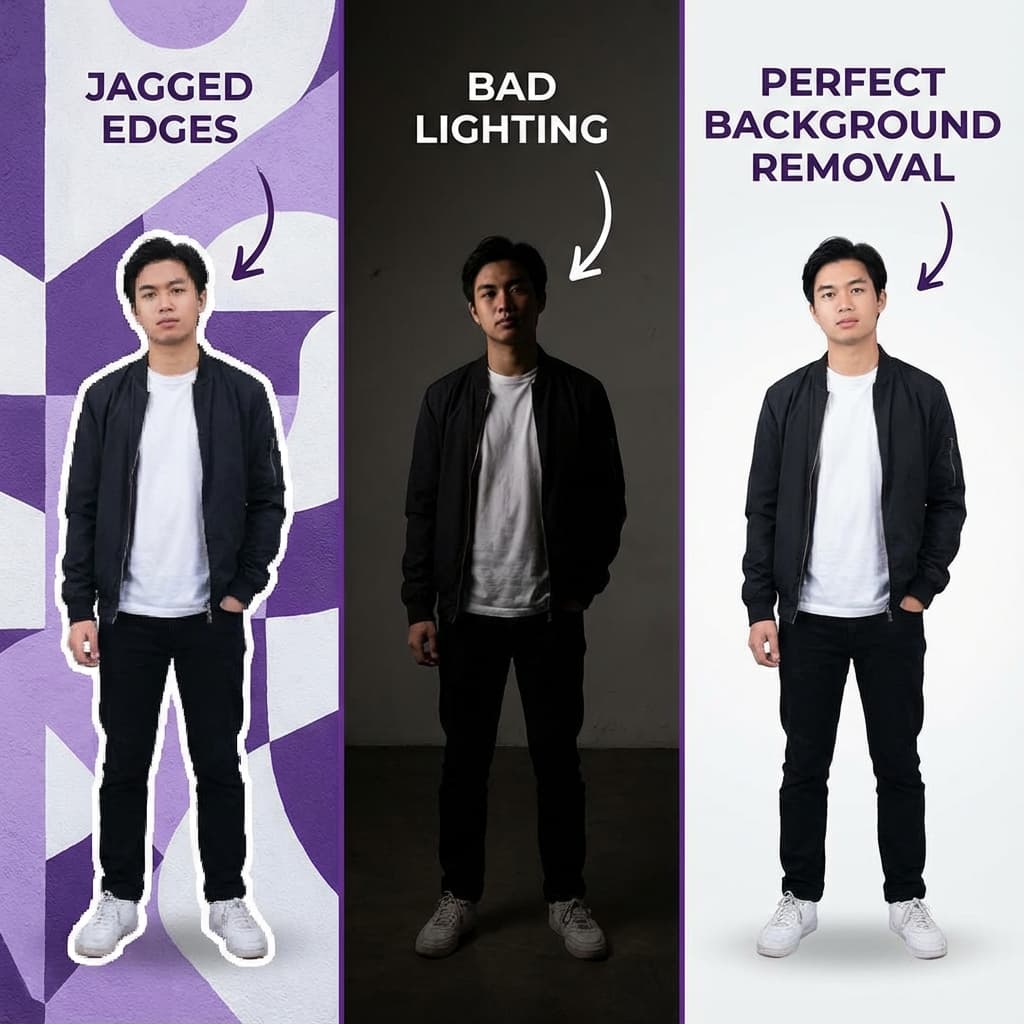
7 Common Background Removal Mistakes (And How to Fix Them for Free)
Introduction
Background removal has become an indispensable tool for everyone from e-commerce sellers and graphic designers to content creators and job seekers. It allows you to isolate subjects, create stunning product photos, and craft professional profile pictures. However, not all background removal is created equal. A poorly executed cutout can make your images look amateurish, distracting, and even damage your brand's credibility.
In this guide, we'll expose the 7 most common background removal mistakes that people make. More importantly, we'll show you how to avoid them and achieve flawless, professional results every time, using powerful and completely free AI tools.
Stop letting bad background removal undermine your visual content. Learn how to fix these issues and elevate your images for free!
Mistake 1: Leaving Fringes, Halos, and Jagged Edges
Problem: Jagged Edges and Halos
This is perhaps the most common and instantly recognizable sign of poor background removal. You're left with:
- Fringes/Halos: A thin, often discolored, outline around your subject.
- Jagged Edges: Pixelated, stair-stepped lines where the background was removed, especially on curves.
- "Cut-out" Look: The subject looks unnaturally pasted onto a new background.
Cause: Low-Quality AI and Poor Contrast
- Low-Quality AI: Older or less sophisticated algorithms struggle to differentiate between the subject and complex backgrounds.
- Low-Resolution Input: Starting with a small, blurry image gives the AI less data to work with.
- Poor Contrast: If the subject and background colors are too similar, the AI has a harder time.
- Aggressive Compression: Some tools over-compress images, leading to quality loss.
Solution: Use a High-Quality, Local AI
The key is to use a cutting-edge AI tool that prioritizes edge detection and high-resolution output.
NoBG.space's Solution:
- Advanced AI: NoBG.space uses state-of-the-art machine learning models specifically trained for precise edge detection, even on intricate details.
- Full Resolution: It processes and outputs images at their original, full resolution, preventing pixelation and preserving crisp edges.
- Local Processing: Because it runs locally in your browser, there's no compression or quality degradation from server uploads.
Tip: For the best results, try to photograph your subject with good lighting and reasonable contrast against the background, even if you plan to remove it.
Mistake 2: Losing Fine Details (Hair, Fur, Translucent Objects)
Problem: Losing Fine Details Like Hair
Some of the most challenging elements for background removal are:
- Hair and Fur: Individual strands often get chopped off or look blocky.
- Transparent/Translucent Objects: Glass, water, smoke, or sheer fabrics become opaque or disappear entirely.
- Intricate Details: Small gaps (e.g., between fingers, through a chair back) are often filled in.
Cause: Simple AI Masking
- AI Limitations: Many AI models are not sophisticated enough to handle the subtle nuances of transparency or the delicate nature of individual hair strands.
- Aggressive Masking: Tools that create a hard mask will simply cut out everything that isn't clearly solid.
Solution: Use an AI Trained on Complex Details
NoBG.space's AI is specifically designed to tackle these complex challenges.
NoBG.space's Solution:
- Hair Refinement: Its models are trained on vast datasets to accurately detect and preserve individual hair strands and fur textures, creating a natural look.
- Transparency Handling: It intelligently identifies and maintains the transparency of objects like glass, water, and sheer materials, resulting in realistic cutouts.
- Precise Segmentation: The AI excels at distinguishing between foreground and background even in tight spaces or complex overlaps.
Mistake 3: Low-Resolution Downloads (Pixelation and Blurriness)
Problem: Pixelated, Low-Resolution Results
You've removed the background, but when you try to use the image in a design, print it, or upload it to a high-resolution platform, it looks blurry, pixelated, or simply unprofessional.
Cause: "Free" Tiers with Resolution Caps
- "Free" Tier Limitations: Many popular cloud-based background removers offer a "free" tier that only allows low-resolution (preview quality) downloads. To get high-res, you have to pay.
- Compression: Some online tools automatically compress your images to save bandwidth, leading to quality loss.
- Upscaling: If you try to enlarge a low-resolution image, it will inevitably become pixelated.
Solution: Use a Tool with Unlimited High-Resolution
You shouldn't have to pay for quality.
NoBG.space's Solution:
- Unlimited High-Resolution: NoBG.space provides 100% free, unlimited, full-resolution downloads for every image you process. Your image quality is never compromised.
- No Compression: Since processing happens locally on your device, there's no server-side compression to degrade your image.
- Original Quality Preserved: The tool maintains the original dimensions and pixel quality of your input image.
Mistake 4: Privacy Risks (Uploading Sensitive Images to the Cloud)
Problem: Exposing Sensitive Images to the Cloud
When you use cloud-based background removers (like Remove.bg, Canva, Fotor, etc.), you are uploading your images to their servers. This creates significant privacy and security risks:
- Data Breaches: Your images could be exposed in a hack.
- AI Training: Your proprietary designs, client work, or personal photos might be used to train their AI models, potentially benefiting competitors.
- Third-Party Access: Employees, contractors, and cloud providers may have access to your images.
- Legal/Compliance Issues: Violating NDAs, client confidentiality, or regulations like HIPAA/GDPR.
Cause: Using Cloud-Based Upload Tools
- Convenience: Cloud tools are easy to use, but the convenience comes at a cost to your privacy.
- Lack of Awareness: Many users don't realize the implications of uploading their data.
Solution: Use a 100% Local Processing Tool
Protecting your sensitive images is paramount.
NoBG.space's Solution:
- 100% Local Processing: NoBG.space runs entirely in your web browser. Your images are processed on your device and never leave your computer.
- Zero Uploads: There are no server uploads, no data collection, and no third-party access.
- Privacy by Design: This architecture makes privacy violations technically impossible, making it ideal for confidential business images, client work, and personal photos.
Mistake 5: Inconsistent Backgrounds Across a Series of Images
Problem: Inconsistent Backgrounds
Imagine an e-commerce store where every product photo has a different background, or a company website with employee headshots taken in various locations. This inconsistency looks unprofessional, distracts the viewer, and can erode trust.
Cause: Lack of a Standardized Process
- Manual Editing: Different editors or inconsistent manual processes.
- Varying Photo Shoots: Products or people photographed at different times or locations.
- Lack of Standard: No clear guidelines for visual consistency.
Solution: Standardize with Batch Removal and Application
Achieving visual consistency is crucial for a professional brand.
NoBG.space's Solution:
- Standardized Removal: Use NoBG.space to remove the background from all your images, creating a clean, transparent base.
- Consistent Background Application: Then, use NoBG.space's built-in features to apply a uniform solid color or a specific background image (e.g., a blurred office for all headshots, a white background for all products). This ensures every image looks cohesive and professional.
- Batch Processing: For high volumes, NoBG.space allows you to process multiple images quickly, making consistency easy to maintain.
Mistake 6: Paying for Basic Background Removal
Problem: Paying for Basic Removal
Many users find themselves paying monthly subscriptions for cloud-based background removal services, even for basic tasks. These costs can quickly add up, especially for high-volume users like e-commerce sellers or marketing agencies.
Cause: The Freemium Subscription Trap
- Freemium Trap: Users get hooked on a "free" tier that's too limited, then are forced to upgrade.
- Lack of Alternatives: Unaware that genuinely free, high-quality alternatives exist.
- Credit Systems: Confusing credit systems lead to unexpected charges.
Solution: Choose a Genuinely Free Tool
You shouldn't have to pay for a feature that can be delivered for free with superior privacy.
NoBG.space's Solution:
- 100% Free Forever: NoBG.space is completely free, with no subscriptions, no credit systems, and no hidden costs.
- Unlimited Usage: Process as many images as you need, without worrying about monthly limits or extra charges.
- Significant Savings: Save hundreds to thousands of dollars annually compared to paid cloud services.
Mistake 7: Not Optimizing Backgrounds for Specific Platforms
Problem: Not Optimizing for Different Platforms
A background that works well for an Instagram post might be inappropriate for a LinkedIn profile or an Etsy product listing. Using a generic image everywhere can lead to missed opportunities or an unprofessional appearance.
Cause: A One-Size-Fits-All Approach
- One-Size-Fits-All Approach: Not tailoring visual content to platform requirements.
- Limited Tools: Using tools that don't offer flexible background options.
Solution: Create a Clean Base and Adapt
Tailoring your images to each platform maximizes their impact.
NoBG.space's Solution:
- Flexible Background Options: After removing the background, NoBG.space allows you to easily apply different solid colors or search for specific background images (via Pexels integration) to suit various platforms.
- E-commerce (Etsy, Shopify): Use a clean white or light grey background for product photos to meet platform standards and boost conversions.
- LinkedIn/Professional: Opt for a solid professional color or a blurred office background.
- Social Media (Instagram, Facebook): Experiment with more creative or branded backgrounds.
- Resumes/Portfolios: Maintain a simple, neutral background for clarity.
Why NoBG.space Helps You Avoid All These Mistakes
NoBG.space is engineered to solve the most common background removal problems, offering a superior solution that combines quality, privacy, and cost-effectiveness:
- Flawless Edges & Fine Details: Advanced AI ensures precise cutouts, even for hair, fur, and translucent objects.
- Unlimited High-Resolution: Get crystal-clear images every time, without paying a dime.
- Complete Privacy: Your images never leave your device, protecting your sensitive data.
- Consistent Results: Easily apply uniform backgrounds for a cohesive brand image.
- 100% Free Forever: Eliminate subscription costs and process as many images as you need.
- Flexible Backgrounds: Built-in tools to add solid colors or search Pexels for the perfect background image, optimized for any platform.
Conclusion
Avoiding these 7 common background removal mistakes is crucial for creating professional, impactful visual content. By understanding the pitfalls and leveraging the right tools, you can elevate your images without compromising on quality, privacy, or your budget.
NoBG.space empowers you to achieve perfect background removal effortlessly. It's the smart, secure, and free choice for anyone serious about their visual presence.
Ready to fix your background removal mistakes and create stunning images?
Visit NoBG.space today and experience truly flawless, private, and free background removal.
Frequently Asked Questions
Q: How can I check for fringes or halos after background removal? A: Zoom in closely on the edges of your subject. If you see any leftover pixels, jagged lines, or a faint outline, your tool isn't precise enough. NoBG.space minimizes these issues.
Q: Does NoBG.space handle hair and fur well? A: Yes, NoBG.space's AI is specifically trained to accurately detect and preserve fine details like individual hair strands and fur, providing natural-looking results.
Q: Is NoBG.space really 100% free for everything? A: Absolutely. NoBG.space offers unlimited usage, high-resolution downloads, and all features completely free, forever. There are no hidden costs or premium tiers.
Q: Can I use NoBG.space for batch processing multiple images? A: Yes, NoBG.space supports efficient processing of multiple images, making it easy to maintain consistency across a large set of photos.
Q: What if I need to add a new background after removal? A: NoBG.space has built-in features to add solid color backgrounds or search for high-quality background images from Pexels, all within the tool.